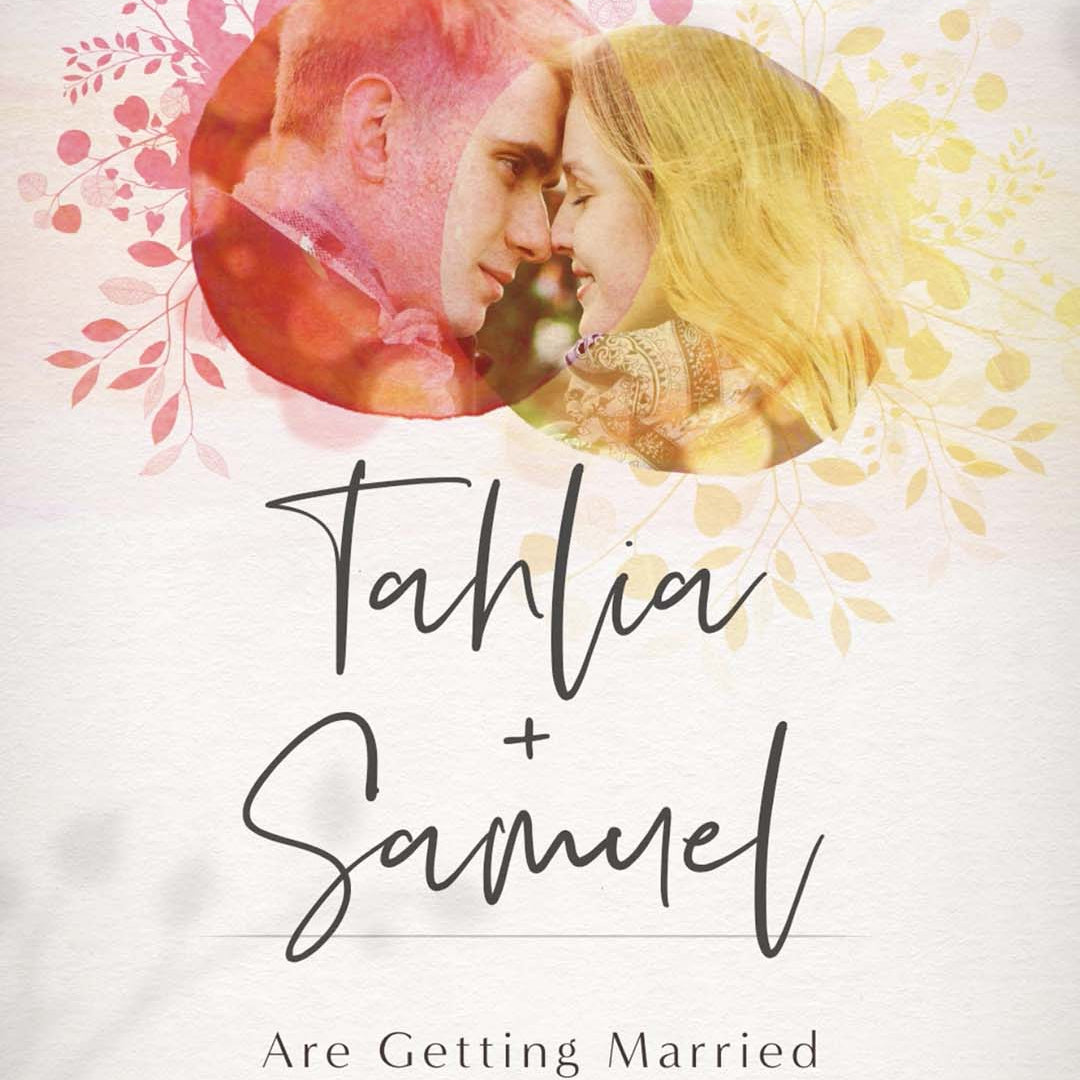

Quick Answer: The easiest way to send a wedding invitation video is to download an optimised HD video file and share it directly through your preferred messaging app, such as iMessage, WhatsApp or Messenger. For most guests, a one-minute 1080p invitation of around 20 MB is a great balance between video quality and file size. A smaller 720p version can be useful for email attachments or guests with slower internet connections.
If you've never sent a wedding invitation as a video before, it's completely normal to wonder how it all works.
Will the file be too large? Will it play properly on everyone's phone? Should you send it through a messaging app or email? Will the quality change once it's been sent?
These are some of the most common questions we hear from couples, and the good news is that sending a video invitation is much easier than most people expect.
Our goal is to make the process feel no more complicated than sending a family photo. There is actually quite a bit happening behind the scenes to make that possible, but by the time your invitation reaches you, almost all of the technical decisions have already been made.
For most couples, the process is simply downloading the recommended version, sending themselves a quick test message and then sharing it with their guests.
How do I send my wedding invitation video?
For most couples, we recommend sending the video directly through their preferred messaging app. Motion Stamp invitations are compatible with popular platforms including iMessage, WhatsApp and Messenger, so you don't need to choose a particular app simply because you're sending a video.
- Download the 1080p HD version from your private Vimeo page.
- Send yourself a quick test using the same messaging app you'll use for your guests.
- Watch the invitation to check the video and sound quality.
- If you're happy with the result, you're ready to send it to your guests.
We recommend the 1080p version for almost all clients because it gives you an excellent balance between Full HD image quality and a file size that's easy to share.
Why does the size of a wedding invitation video matter?
This is something most couples shouldn't ever have to think about, but it's an important part of how we prepare an invitation.
When we export a typical one-minute wedding invitation from our Adobe Software, the original production file is usually around 80 MB. That's perfectly normal for professional HD animation, but it's much larger than it needs to be for everyday sharing.
Messaging platforms may compress videos when they are sent. Because each platform handles video differently, sending a very large file can sometimes lead to changes in image quality or slower delivery.
For this reason, we prepare optimised versions before the invitation reaches you. This helps provide a good balance between visual quality and file size without requiring you to make technical decisions yourself.
Keeping a wedding invitation video to around one minute can also make it easier to send and enjoyable for guests to watch. We explain the other reasons in our separate guide, “How Long Should a Wedding Invitation Video Be?”
Why do we use Vimeo to deliver wedding invitation videos?
Every Motion Stamp invitation is delivered through a private Vimeo page rather than simply sending you the original video file.
Vimeo is a professional video hosting platform used by filmmakers, designers and creative studios around the world. We use it because its video compression allows us to provide a much smaller file while maintaining excellent visual quality.
Based on the invitations we create and deliver, a typical one-minute video looks something like this:
|
Video version |
Typical file size |
Best used for |
|
Original Adobe Animation export |
Around 80 MB |
Production master |
|
1080p Full HD |
Around 20 MB |
Messaging apps and general sharing |
|
720p HD |
Around 12 MB |
Email or slower internet connections |
These aren't fixed file sizes. Every invitation is slightly different, but they're useful real-world examples of what we typically see.
Vimeo also gives you the freedom to preview your invitation online before downloading anything. You can watch the finished video, check your wording, dates and details, and provide feedback if anything needs adjusting. Our invitation packages include a round of revisions, so everything can be finalised before you start sharing it with your guests.
Once you're happy, you simply download the version that suits how you plan to send it.
Should I download my wedding invitation in 1080p or 720p?
For almost everyone, we recommend 1080p Full HD at 1920 × 1080 pixels.
This provides the best balance between a beautiful, crisp image and a manageable file size. For a typical one-minute Motion Stamp invitation, the Vimeo 1080p download is often around 20 MB.
A 720p version at 1280 × 720 pixels contains exactly the same design, animation, wording and music. It simply has a lower video resolution, which allows the file size to be smaller. Our typical one-minute invitations are often around 12 MB when downloaded at 720p.
We generally reserve this option for email attachments or situations where you know a guest has a particularly slow or unreliable internet connection.
You don't need to understand any of those numbers to send your invitation. They're simply there to explain why we provide different options.
How do I send a wedding invitation video through WhatsApp?
If WhatsApp is the messaging app you normally use with your family and friends, you can send your wedding invitation in much the same way as any other video.
Download the 1080p version from Vimeo, attach the video to your message and send yourself a quick test first.
Before sharing it with your full guest list, send the video to yourself or a trusted family member first. This allows you to check how the invitation looks and sounds after it has been sent.
WhatsApp can apply its own video compression, which is why we prepare the compact, optimised version rather than asking you to send the much larger original production file. This helps preserve the quality of the invitation your guests receive.
How do I send a wedding invitation video through iMessage?
The process through iMessage is equally straightforward.
Download the 1080p invitation to your device, attach it to your message and send yourself a test before distributing it to your guest list.
There is normally no reason to create a special version specifically for iMessage. The same optimised HD invitation can be used across the major messaging apps.
Can I send my wedding invitation video through Messenger?
Yes. Motion Stamp video invitations can also be sent through Messenger.
Again, we recommend starting with the 1080p version and sending yourself a test first. This lets you see exactly how the invitation will appear when it reaches your guests before you send it more widely.
The important point isn't which of these messaging apps you choose. Use the platform that's most convenient for you and your guests. The invitation has already been prepared with this type of sharing in mind.
Can I send my wedding invitation video by email?
Yes, although sending your invitation as an email attachment requires a little more consideration.
Different email providers have different attachment size limits, so a video that can be attached through one email service may be too large for another. There's also no guarantee that your guests' email providers will have the same limits as yours.
For this reason, we recommend downloading the 720p version if you're planning to send your invitation by email. For a typical one-minute Motion Stamp invitation, this file is usually around 12 MB and has a resolution of 1280 × 720 pixels.
While 720p isn't Full HD (1920 × 1080), it still provides excellent image quality on both mobile devices and computers. For most guests, the difference in quality is barely noticeable, but the smaller file size makes the invitation much easier to send and receive via email.
The invitation itself doesn't change. Your guests will still enjoy exactly the same animation, music and design. The only difference is that the video has been exported at a lower resolution to create a smaller, more email-friendly file.
Can I send my wedding invitation video by text or SMS?
You can, but traditional SMS is one delivery method we generally don't recommend for video invitations.
SMS can apply much heavier compression to video files than modern internet-based messaging apps. This can result in a noticeably softer or blurrier video at the other end.
After putting so much thought into the design of an invitation and the experience of revealing it to your guests, it seems a shame for their first view to be a heavily compressed version.
If possible, we recommend sending the video through an internet-based messaging app such as iMessage, WhatsApp or Messenger instead.
What if some of my wedding guests have slow internet?
If you know you're sending your invitation to someone with limited or unreliable internet access, the smaller 720p download can be a useful alternative.
It reduces the amount of data the guest needs to receive while still providing very good image quality on a phone.
This isn't something most couples need to worry about. The vast majority of our clients use the standard 1080p version without needing to make separate files for individual guests.
If a guest is unable to download or play the video, you can also send them the private video link or share the invitation through your wedding website.
Can I send my wedding invitation through a wedding website instead?
Yes. Instead of sending your invitation as a video attachment, another option is to host it on a wedding website and simply send your guests the website link.
This is a popular option for couples who have more information to share than comfortably fits within the invitation itself. Your video can remain focused on telling the story and building excitement, while the website provides the practical details your guests may need to refer back to later.
Depending on your wedding, this might include:
- Online RSVP
- Venue information and Google Maps
- Accommodation recommendations
- Gift registry or honeymoon fund links
- Dress code
- Travel information
- Frequently asked questions
Rather than searching through old messages to find important details, your guests simply return to the same webpage whenever they need it.
Another advantage is that you only need to send a single link. When your guests open it, they can watch your invitation and then continue scrolling to find everything they need in one convenient place.
Motion Stamp creates matching single-page wedding websites designed specifically to complement your invitation, but our invitation videos can also be used with many third-party wedding website builders.
If you already have a wedding website through platforms such as The Knot, Appy Couple or RSVPify, you may be able to upload your invitation there instead. Features vary between providers, so it's worth checking whether your chosen platform supports embedded or hosted video.
If you'd like to learn more about this option, we've created a separate guide:
What Is a Wedding Invitation Website and How Does It Work?
Why does my wedding invitation video start with a still image?
This is a small detail, but it's one we've deliberately built into the way our invitations are prepared.
When a video is attached to a message, the messaging app may use a frame from the beginning of the video to create the preview your guest sees before pressing play.
Animated invitations commonly begin with a fade in, which can result in an unattractive empty preview.
Without doing anything, your guests would often see a plain blank image before pressing play.
To avoid this, we add a carefully selected still frame from the invitation at the beginning of the video. It creates a much nicer first impression before the guest even starts watching and also makes the invitation easier to recognise if they return to the conversation later.
It's a very small part of the process, but these little details make a difference to the overall guest experience.
What Is the Best Way to Send a Wedding Invitation Video to Many Guests?
If you are sending your invitation to a large guest list, organise your guests before you begin sharing. You may prefer to send the invitation individually, create smaller family or friend groups, or share one wedding website link with everyone.
If you have different invitations for day and evening guests, clearly name each video file before sending it. For example:
- Smith Wedding Day Invitation
- Smith Wedding Evening Invitation
Clear file names can help reduce the risk of sending the wrong invitation to the wrong guest.
Before sending the invitation widely, check that your guest list is complete and confirm that you have included everyone who should receive it.
Should I test my wedding invitation video before sending it?
Yes. This is the one thing we recommend every client does.
Once you've downloaded your invitation, send it to yourself using the same messaging app you plan to use for your guests. Watch the video, listen to the sound and make sure you're happy with how everything appears.
It only takes a minute, and once you've done it, you know exactly what your guests are going to receive.
What's the easiest way to send a wedding invitation video?
For most clients, download the 1080p HD version and send the video directly through the messaging app you already use with your guests.
You don't need specialist software, your guests don't need to install anything, and you don't need to understand video compression or resolution.
If you're sending the invitation as an email attachment or to someone with particularly limited internet access, consider using the smaller 720p version instead. We generally avoid traditional SMS because of the additional video compression it can introduce.
If you'd prefer to keep your video and all of the practical wedding details together, you can also share your invitation through a wedding invitation webpage.
Frequently Asked Questions
1. Can I Send a Wedding Invitation Video to Guests Overseas?
Yes. Internet-based messaging apps are often an easy option for international guests because the invitation can be received through Wi-Fi or mobile data.
2. Do My Guests Need to Download an App?
Usually, no. Guests can watch the invitation through the messaging app you use or through the wedding website or video link you share.
3. Should I Send My Wedding Invitation as a Video or a Link?
Sending the video directly can feel personal and convenient. A link may be more useful if you want to include RSVP information, venue details, accommodation options, travel information and other wedding plans in one place.
4. Can I Send Different Wedding Invitation Videos to Different Guests?
Yes. If you have separate invitations for day and evening guests, clearly label each file and check the recipient list before sending.
The Bottom Line
At Motion Stamp, we design every wedding invitation to be as easy to share as it is beautiful to watch.
Once your invitation is ready, download the recommended version, send yourself a quick test and then share it with your guests. The technical preparation has already been taken care of, so you can focus on enjoying the moment and sharing your story.
Whether you send your invitation through WhatsApp, iMessage, Messenger, email or a wedding website, the process should feel simple and personal.
Explore Motion Stamp’s animated wedding invitation designs and create a memorable invitation your guests will be excited to receive.